

What’s landing, when it arrives, and what to do about it
Microsoft is changing SharePoint faster than most of us can keep up with. From a smarter search to a refreshed Lists experience and a new home for agents, the next few months are full of updates. Here is the short version, so your team is never caught out.
At a glance
| When | What's changing | Who it affects | What to do |
|---|---|---|---|
| Mid to late Nov 2026 | Resources web part and Announcements on every SharePoint site | Site owners and users | No admin action; brief site owners |
| From mid-Nov 2026 | Creating agents in SharePoint and OneDrive opens Copilot Agent Builder | Admins, site owners | Audit existing .agent files; they stop working end of March 2027 |
| Late Nov to early Dec 2026 | Enhanced data access governance reports and site access reviews | SharePoint admins | Review permissions processes; prepare site owners |
| Mid to late Dec 2026 | Refreshed SharePoint Lists experience | All list users | Check custom command bar formatters; update training |
| Now (Frontier), GA mid-Jan to mid-Apr 2027 | Copilot Search in SharePoint and OneDrive | All users | Test custom search; prepare users |
| From 1 March 2027 (phase 2: 1 Oct 2028) | Classic SharePoint retirement: no new classic publishing sites, custom scripts off by default, then classic pages become read-only | Admins, site owners with classic or customised sites | Find classic sites and plan migration to modern SharePoint |
Now: November 2026
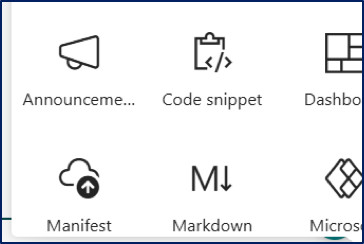
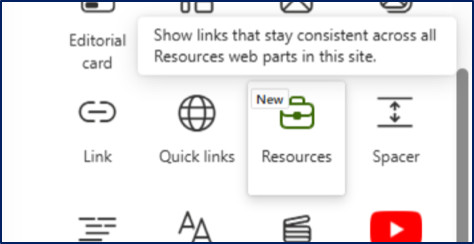
Resources and Announcements for every site. Site owners can now curate important links with audience targeting and post announcements on any site, not just home sites. Think of it as a noticeboard for every team site.
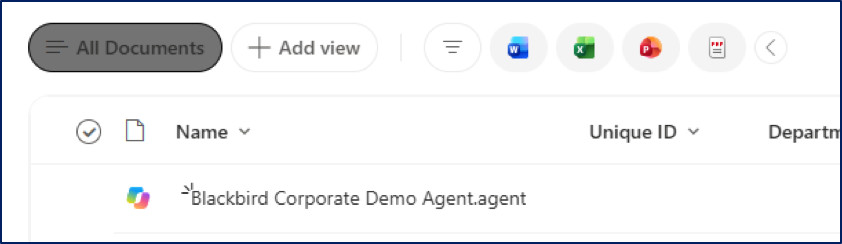
A new home for agents. From mid-November, creating an agent in SharePoint or OneDrive opens Copilot Agent Builder. Existing .agent files keep working until the end of March 2027, so now is the time to find out who owns them and plan the move.
Late November to December 2026
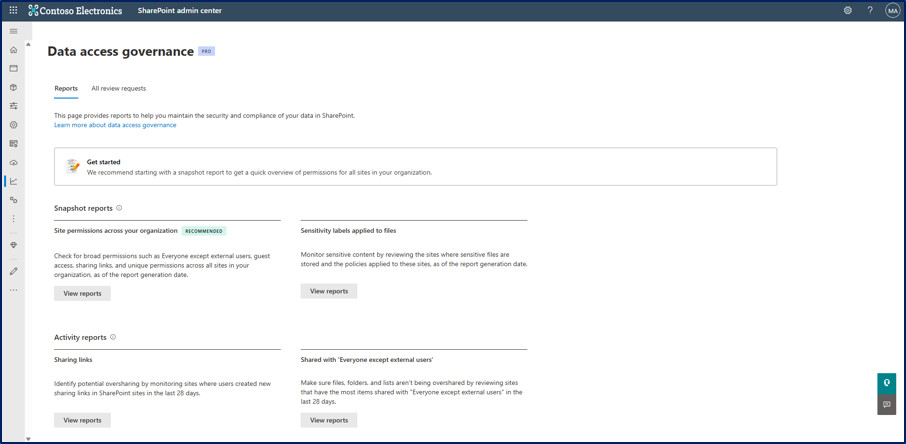
Smarter governance for admins. Data access governance reports will flag files containing sensitive information types, and admins can direct site access reviews to the right people and track email delivery.
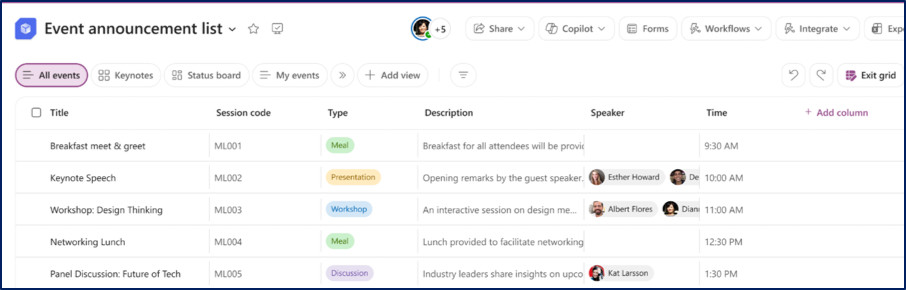
Lists get a makeover. Expect a reorganised command bar, clearer breadcrumbs for folders, more prominent views and visible filter pills. Nothing breaks, but users will notice, so a quick heads-up goes a long way.
January to April 2027
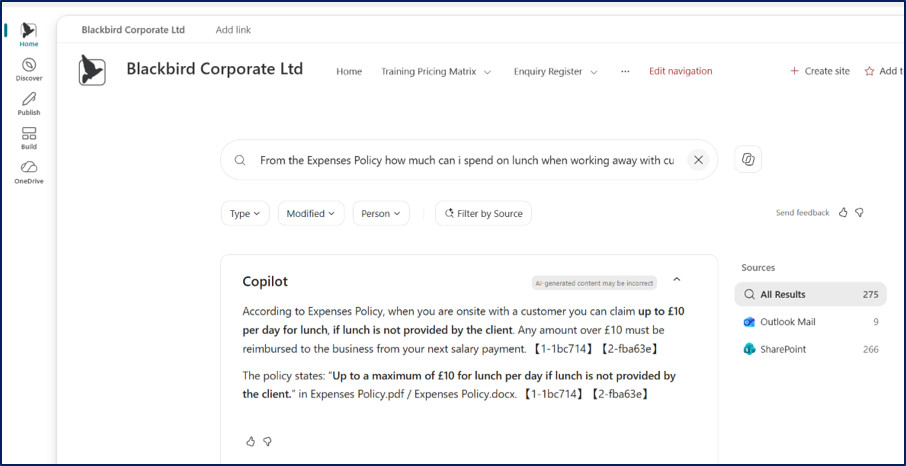
Copilot Search arrives. SharePoint and OneDrive on the web are moving to the same Copilot Search experience used across Microsoft 365. Search in natural language and get relevant results, AI summaries with source references and filters. It is already in Frontier and is, in our view, one of the biggest search improvements SharePoint has had.
March 2027 and beyond
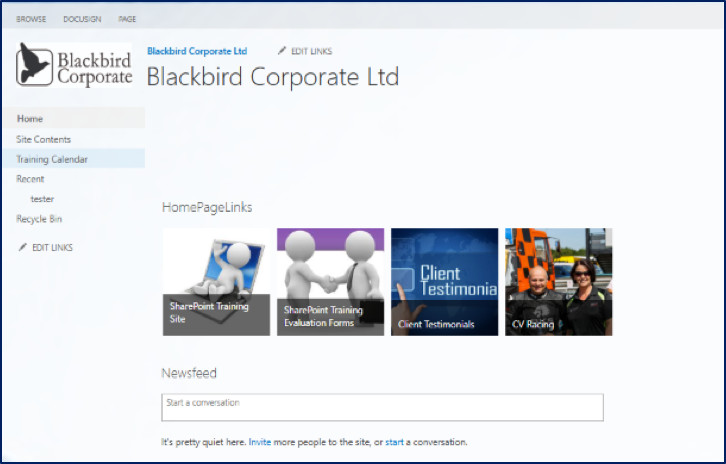
Classic SharePoint is being retired. From 1 March 2027, it will no longer be possible to create new classic publishing sites in existing tenants, and new Microsoft 365 tenants lose the ability to create classic pages. Adding or updating custom scripts will be switched off by default.
The second phase follows on 1 October 2028, when user-created classic pages become read-only. Existing content is not deleted automatically, but it can no longer be edited, so it is worth planning the move to modern SharePoint well before then.
Already here: recent and new features
It isn’t all about what’s coming. SharePoint has had a busy few months, and several of these features may already be in your tenant.
SharePoint is modernising the classic UI. Microsoft has been steadily replacing the classic interface with a more modern one. Document libraries, the filter pane and the Workflows menu have all been refreshed, and Lists get their turn in December. Alongside this, classic publishing is being phased out from March 2027. The direction is clear: modern, consistent and Copilot-ready.
Recently added and new
- Copilot in SharePoint. General availability began rolling out from 30 September 2026. Everyday capabilities come with the Microsoft 365 Copilot licence, while “advanced work” uses Copilot Credits. Describe what you need and Copilot builds the structure, columns and views.
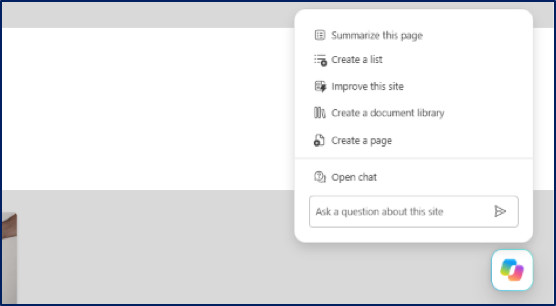
- HTML pages. Describe a page to Copilot or upload your own HTML, and it is stored in the Site Pages library. General availability runs from mid-November to late December 2026.
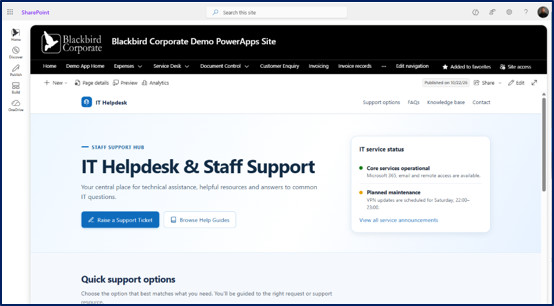
- Refreshed document library experience. A cleaner layout, plus a new filter pane with expand and collapse sections.

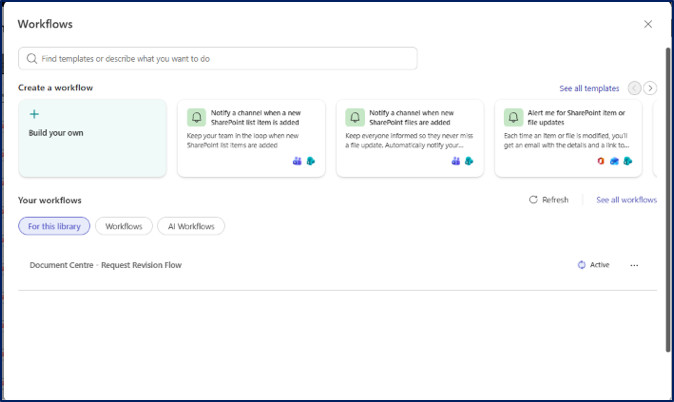
- New Workflows experience. A single Workflows button, powered by Power Automate, with natural-language flow creation.
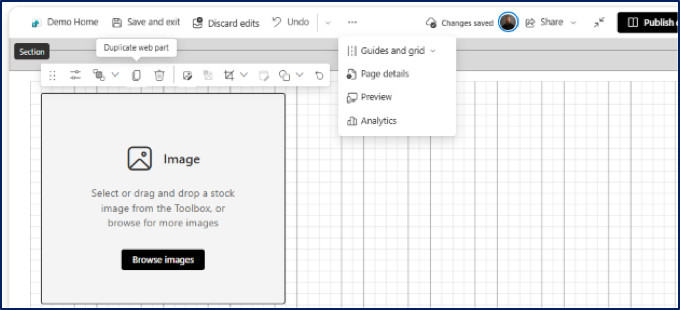
- Flexible sections. Pixel-level web part placement, grouping and mobile flow, without code. New Grid and Alignment Features added to the pages to aid with page building.
What this means for you. Users who haven’t used SharePoint for a while may find it looks and behaves differently. A quick refresher session or a short guide will save a lot of “where has that button gone?” questions.
Your three-step plan
- Tell people early. A short heads-up email prevents a lot of helpdesk calls.
- Tidy your foundations. Good metadata, sensible permissions and clear structure help Copilot Search and agents work better.
- Refresh your training. Screenshots and guides will date quickly, so review them now.
There is going to be so many new feature coming to the technology over the next 12 months and the integration with Copilot is going to require a lot of monitoring especially by your site admins, Site Owners and IT Teams within any business. We are constantly trying to keep up with the new technology to include in our training and consultancy along with the consideration on how changes can impact us all.
If you have any questions contact our office today to find out more and to talk to one of our Microsoft 365 consultants here at @blackbirdcorporate
☎️ 0800 107 6362
📧 training@blackbirdcorporate.co.uk
🌐 https://blackbirdcorporate.co.uk/