
Microsoft 365 | AI Productivity | Digital Transformation
Artificial intelligence is rapidly changing the way organisations operate. From writing documents and analysing information to summarising meetings and managing emails, Microsoft’s Copilot is becoming an increasingly important part of the modern digital workplace.
But is Copilot everything Microsoft promises it will be? Can it genuinely improve productivity, reduce workloads and transform the way employees work? Or are there disadvantages that businesses need to consider before investing?
Like any technology, Copilot has significant advantages, but it also comes with challenges. Understanding both sides is essential before introducing it into your organisation.
What is Microsoft Copilot?
Microsoft Copilot is an AI-powered assistant that integrates with Microsoft’s productivity applications and services.
Depending on the licence and configuration, Copilot can work alongside applications such as:
- Microsoft Word – drafting, rewriting and summarising documents.
- Microsoft Excel – analysing information, identifying trends and helping with formulas.
- Microsoft PowerPoint – creating presentations and summarising content.
- Microsoft Outlook – drafting emails and summarising conversations.
- Microsoft Teams – summarising meetings, identifying actions and catching up on discussions.
- SharePoint – helping users find and understand organisational information.
Rather than simply being another application, Copilot is designed to work alongside the tools employees already use every day.
The advantages of using Microsoft Copilot
There are several reasons why organisations are considering introducing Copilot into their Microsoft 365 environment.
1. Increased productivity and time savings
One of Copilot’s biggest advantages is its ability to reduce the time spent on everyday administrative tasks.
Employees can use Copilot to draft emails, summarise lengthy documents, prepare reports, generate meeting summaries and create presentations.
Tasks that previously took hours may be completed much more quickly, allowing employees to concentrate on higher-value activities.
For organisations with large teams, even relatively small time savings across multiple employees could make a meaningful difference.
2. Improved document creation and communication
Writing professional documents, reports and communications can be time-consuming.
Copilot can help employees:
- Draft professional emails.
- Create business reports.
- Rewrite content to improve clarity.
- Summarise lengthy documents.
- Adjust the tone of written communications.
- Generate ideas and structure presentations.
This can be particularly useful for employees who regularly produce documentation but may not have extensive experience in professional writing.
3. Better meeting management through Microsoft Teams
Meetings can consume a considerable amount of working time, particularly when employees need to review discussions, identify decisions and establish actions afterwards.
Copilot in Microsoft Teams can help by:
- Summarising meeting discussions.
- Identifying key decisions.
- Highlighting outstanding actions.
- Answering questions about meeting content.
- Helping employees catch up when they miss a meeting.
This can improve accountability and reduce the time spent manually writing meeting notes.
4. Improved data analysis and reporting
Copilot can help employees work with information in Excel and other Microsoft 365 applications.
It can assist with identifying trends, explaining data, suggesting formulas and producing insights from information.
For managers and decision-makers, this could make information easier to understand and help them identify patterns that might otherwise be overlooked.
However, users should always validate calculations and conclusions before relying on them for business decisions.
5. Better access to organisational knowledge
One of the most interesting advantages of Copilot is its ability to work with organisational information.
With the appropriate Microsoft Copilot licence and configuration, it can use Microsoft Graph to provide relevant information from content users are already authorised to access.
This includes information from documents, emails, meetings and Teams conversations.
For organisations using SharePoint as their central document management and information-sharing platform, this presents significant opportunities.
Employees can spend less time searching through folders, emails and conversations and more time using the information they need.
6. Supports innovation and creativity
Copilot can help employees generate ideas, explore different approaches and develop content.
It can be used for brainstorming, planning projects, developing marketing content and creating initial drafts of business proposals.
It does not replace human creativity, but it can provide a starting point that employees can develop and improve.
The disadvantages of using Microsoft Copilot
Although Copilot offers significant benefits, organisations should not overlook the potential disadvantages.
1. The cost of implementation
One of the first considerations is cost.
Access to the full range of Microsoft Copilot business capabilities requires the appropriate qualifying Microsoft 365 subscription and Copilot licensing.
For larger organisations, licensing costs can become significant, particularly when rolling out Copilot to hundreds or thousands of employees.
Businesses need to consider:
- The number of employees who genuinely require Copilot.
- The potential productivity benefits.
- Training and implementation costs.
- Ongoing licensing expenditure.
- Whether the organisation will achieve a measurable return on investment.
Purchasing licences for everyone without understanding how they will be used can result in unnecessary expenditure.
2. Copilot is not always accurate
Copilot is an AI tool, not a replacement for professional knowledge or human judgement.
It can occasionally produce incorrect information, misunderstand instructions or generate responses that sound convincing but are factually inaccurate.
This is particularly important when employees use Copilot for:
- Financial reporting.
- Legal documentation.
- Policies and procedures.
- Business-critical decisions.
- External communications.
Employees must understand that Copilot-generated information should be checked before being used or shared.
The golden rule: Never assume that everything Copilot produces is correct.
3. Data security and information governance
This is arguably one of the most important considerations when introducing Copilot.
Microsoft Copilot can access organisational information through Microsoft Graph, subject to the permissions assigned to individual users.
This means that if employees already have access to documents they should not be able to see, Copilot may make that information easier to discover.
For example, an organisation might have SharePoint document libraries containing confidential financial information, HR documentation or sensitive management reports.
If permissions have not been configured correctly, users could potentially discover information that they should not have access to.
It is important to understand that Copilot does not automatically correct poor SharePoint permissions or information governance.
Organisations should review:
- SharePoint permissions.
- Document library access.
- External sharing settings.
- Sensitivity labels.
- Confidential information.
- Retention policies.
- Information management procedures.
Microsoft states that commercial Copilot prompts, responses and data accessed through Microsoft Graph are not used to train its foundation AI models. However, organisations must still understand their own data protection, retention, auditing and compliance responsibilities.
4. Employees need training
One of the biggest mistakes an organisation can make is assuming that employees will automatically know how to use Copilot effectively.
Simply providing access to the technology does not guarantee adoption.
Employees need to understand how to write effective prompts, provide context, review generated information and apply Copilot to their everyday responsibilities.
Without appropriate training, users may:
- Struggle to get useful results.
- Ask poorly structured questions.
- Become frustrated with the technology.
- Use only a small proportion of its capabilities.
- Lose confidence when responses are inaccurate.
This is why Copilot training and user adoption should be considered essential parts of any implementation.
5. Over-reliance on artificial intelligence
There is a risk that employees become too dependent on AI-generated content.
Although Copilot can help produce documents, reports and communications, employees must retain the ability to think critically, challenge information and make informed decisions.
AI should support employees, not remove the need for human expertise.
Organisations need to establish clear expectations around when Copilot should be used and when human review is essential.
6. Poor-quality information produces poor results
Copilot is only as useful as the information it can access.
If an organisation has poorly structured SharePoint sites, duplicated documents, inconsistent metadata, outdated policies and confusing information architecture, employees may not receive the quality of answers they expect.
This highlights the importance of having a well-managed Microsoft 365 environment.
Before introducing Copilot, organisations should consider whether their information is properly organised, governed and accessible.
Microsoft Copilot: Pros and Cons at a glance
| Advantages | Disadvantages |
| Increased productivity | Additional licensing costs |
| Faster document creation | Can produce inaccurate information |
| Improved meeting summaries | Requires user training |
| Better information discovery | Depends on good data management |
| Supports data analysis | Potential information governance risks |
| Encourages creativity | Risk of over-reliance on AI |
| Reduces repetitive administration | Requires ongoing management |
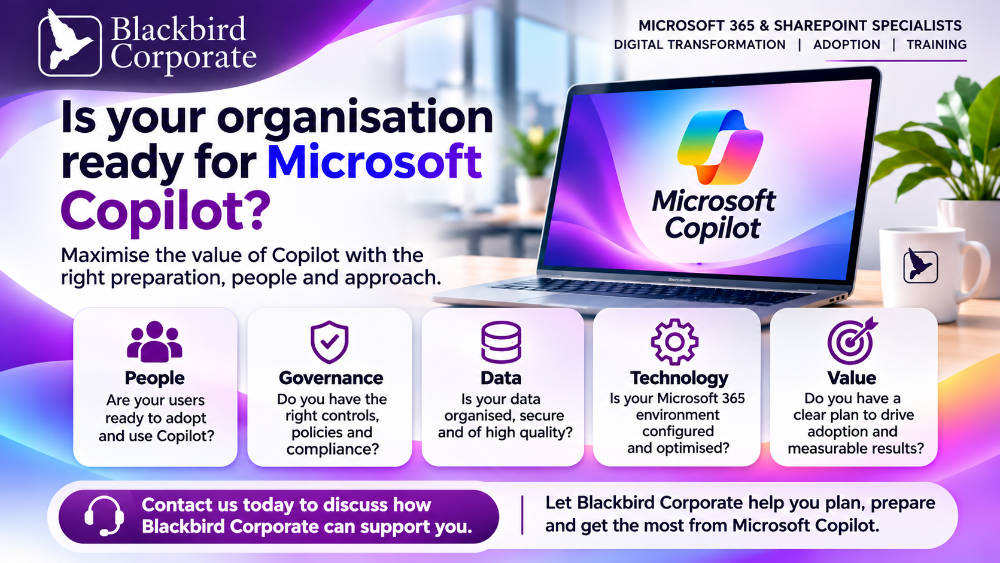
Is your organisation ready for Microsoft Copilot?
This is perhaps the most important question.
Before investing in Copilot, organisations should take the time to assess their existing Microsoft 365 environment.
Simply purchasing licences and making Copilot available to employees is not a digital transformation strategy.
A successful Copilot implementation should include several important stages.
1. Microsoft 365 readiness assessment
Review the existing Microsoft 365 environment, including SharePoint, Teams, OneDrive and Exchange.
2. SharePoint and information governance review
Assess permissions, document structures, information architecture, external sharing and data management practices.
3. Identify business opportunities
Understand which departments and job roles would benefit most from Copilot and identify practical use cases.
4. Develop an adoption strategy
Create a structured approach to introducing Copilot, communicating its benefits and encouraging employees to use it effectively.
5. Deliver Copilot training
Provide practical, role-based training to help employees understand how to use Copilot within their everyday responsibilities.
6. Measure success
Monitor adoption, employee feedback, productivity improvements and business benefits to understand whether the investment is delivering value.
The verdict: Is Microsoft Copilot worth it?
In our opinion, Microsoft Copilot represents a significant opportunity for organisations already using Microsoft 365.
It has the potential to change the way employees create content, communicate, manage information and complete everyday tasks.
However, its success will depend on much more than the technology itself.
Organisations need to have the right foundations in place, including effective information governance, well-managed SharePoint environments, appropriate security controls and employees who understand how to use AI effectively.
The biggest mistake businesses can make is investing in Copilot without preparing their people and their data.
Copilot is not simply about introducing artificial intelligence into the workplace. It is about transforming how people work.